프로젝트를 생성하고
vs code 터미널에서 입력할 명령어
npm init vite
Need to install the following packages:
create-vite@5.4.0 Ok to proceed? (y) y
> npx > create-vite ✔ Project name:
project name을 입력하라고 나와있음
하지만, 프로젝트 폴더를 미리 생성해놓고 vs code로 열어서 터미널을 실행했기 때문에
./ 라고 입력
✔ Select a framework: › React
✔ Select a variant: › JavaScript
framework과 variant까지 선택하면
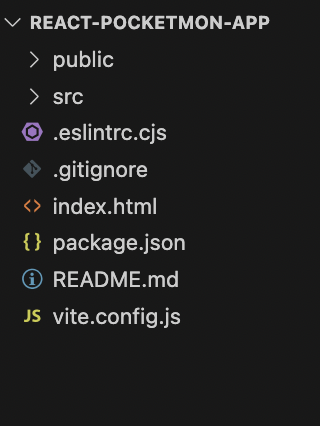
프로젝트 생성 끝!
npm install
기본 패키지는 설치 해줘야함
Vite?
Vite
Vite, 차세대 프런트엔드 개발 툴
ko.vitejs.dev
https://www.heropy.dev/p/6iFzkB
React 프로젝트 시작하기 w. Vite
Vite.js 빌드 도구를 사용해 React 프로젝트를 시작하는 방법을 살펴보며, 자바스크립트와 타입스크립트 프로젝트에서의 구성을 구분해 설명합니다.
www.heropy.dev
Create React App V.S Vite
| Vite | CRP | |
| 설치시간 | 약 30초 | 약 1분 40초 |
| File Size | 45MB | 221MB |
| build File Size | 150KB | 553KB |
필요한 패키지들 설치
npm install axios react-router-dom
npm install -D autoprefixer postcss
- axios
- react-router-dom
'📚 프론트엔드 공부 일지 > REACT' 카테고리의 다른 글
| 이미지 레이지 로딩 (0) | 2024.07.30 |
|---|---|
| React 최적화 Hook (React.memo / useCallback / useMemo) (0) | 2024.07.25 |
| React 확장 프로그램 / Profiler 성능 측정 프로그램 (6) | 2024.07.24 |
| React Hooks (0) | 2024.07.19 |
| constructor / super (0) | 2024.07.18 |