전체 글 37

React 확장 프로그램 / Profiler 성능 측정 프로그램

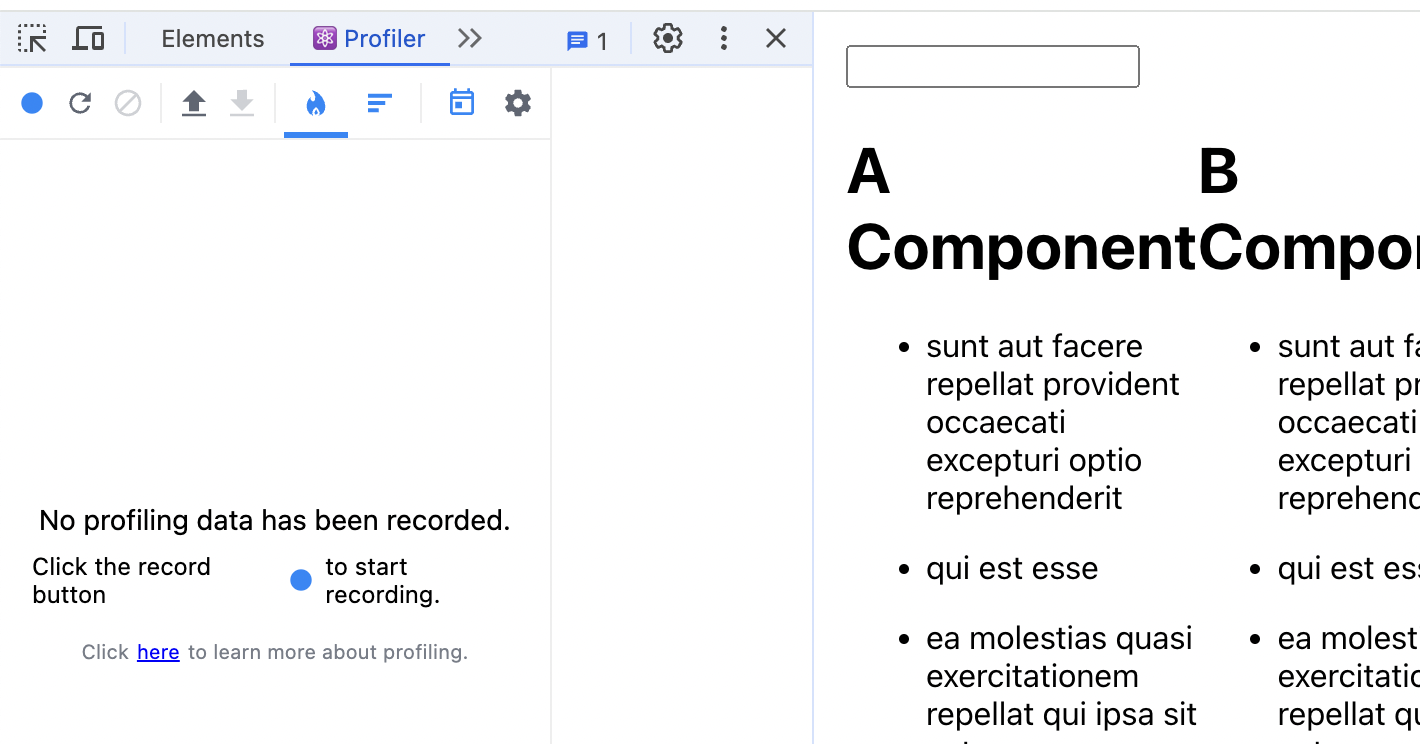
https://chromewebstore.google.com/detail/react-developer-tools/fmkadmapgofadopljbjfkapdkoienihi?pli=1 React Developer Tools - Chrome 웹 스토어Adds React debugging tools to the Chrome Developer Tools. Created from revision ccb20cb88b on 7/3/2024.chromewebstore.google.com React Profiler (성능 측정) 가짜 데이터 가져오기 성능을 측정하기 위해 많은 데이터가 필요하기에 가짜 데이터를 받아옴 useEffect () => { fetch('https://jsonplaceholder.typicode...
github 로 배포하기

gihhub 레파지토리에push 해둔 프로젝트를 배포하는 방법 gh-pages 모듈 설치npm install gh-pages --save-dev package.json 설정"homepage" : "https://깃헙아이디.github.io/레파지토리 이름" "scripts"내    "predeploy": "npm run build"    "deploy" : "gh-pages -d build" 추가  build를 이용해서 배포npm run deploy↓  > react-tictactoe-app-functional@0.1.0 predeploy> npm run build  build를 먼저 실행해서 코드 최적화를 먼저 시키고> react-tictactoe-app-functional@0.1.0 build> re..

🧸 토이 프로젝트 1 후기

' 오류 해결 방법" href="https://wei3on.tistory.com/4" target="_blank" rel="noopener">https://wei3on.tistory.com/4' 오류 해결 방법" data-og-description="Git 레파지토리에서 clone이 아닌 zip 파일을 다운로드 받아서vs code 에서 npm install 하려고 했더니 생겼던 오류  node의 버전은 잘 나오는데 npm의 버전을 확인하니 동일한 오류가 나온다.  버전 확" data-og-host="wei3on.tistory.com" data-og-source-url="https://wei3on.tistory.com/4" data-og-url="https://wei3on.tistory.com/4" dat..

📃 프로젝트 2024.07.22

React Hooks

React Hooksclass 없이 state를 사용할 수 없는 새로운 기능 ? Hooks가 필요한 이유 Class Component로 사용되어 온 React에서 느껴왔던 불편함이나 문제점 해결을 위함                                         → Class Component : 더 많은 기능 제공 / 더 긴 코드 양 / 더 복잡한 코드 / 더딘 성능React Component  ---                                                                              → Functional Component : 더 적은 기능 제공 / 짧은 코드 양 / 더 심플한 코드 / 더 빠른 성능  관련 문제들1. HOC 란? Hig..

constructor / super

constructor(생성자)contructor(생성자)를 이용하면 인스턴스화된 객체에서 다른 메서드를 호출하기 전에수행해야하는 사용자 지정 초기화를 제공할 수 있음 class User { construnctor(name) { this.name = name } sayHi() { alert(this.name) }}let user = new User("John")user.sayHi()클래스를 new를 붙여서 ( new User("John") ) 인스턴스객체로 생성하면넘겨받은 인수와 함께 construnctor가 먼저 실행됨이 때, 넘겨받은 인수인 John이 this.name에 할당됨 super super 키워드는 자식 클래스 내에서 부모 클래스의 생성자 or 메소드를 호출할 때..

filter / real state

각 리스트의 삭제 버튼을 클릭했을 때 해당 리스트가 삭제되는 기능을 구현하고 싶다. filter// App.js// 부모 컴포넌트 initialExpenses = [ { id: 1, charge: "렌트비", amount: 1600}, { id: 2, charge: "교통비", amount: 400}, { id: 3, charge: "식비", amount: 1200} ]handleDelete = (id) => { const newExpenses = this.initialExpenses.filter(expense => expense.id !== id ) console.log(newExpenses) }// ExpenseList.js{this.props.init..

npx / degit

vs code 내 터미널더보기ls* mac os 기준 현재 폴더 구조 나열 더보기cd Desktop/Desktop으로 이동 더보기npx degit wonjichoe(git 이름)/webpack-templete-basic(가져올 레파지토리 네임) webpack-templete-test(템플릿 가져오면서 생성할 폴더) 이 후 ls로 다시 폴더 구조를 나열해보면Desktop 내에 webpack-templete-test 폴더가 생긴 것을 볼 수 있음 더보기cd webpack-templete-testcode .⬇️해당 프로젝트로 이동해서 작업 시작 ? 그렇다면 clone과 npx degit의 차이는 무엇일까 npx degit으로 프로젝트를 가져오면버전 관리가 전혀 되지 않은 상태로 가져오게 되어서그 templet..

Babel

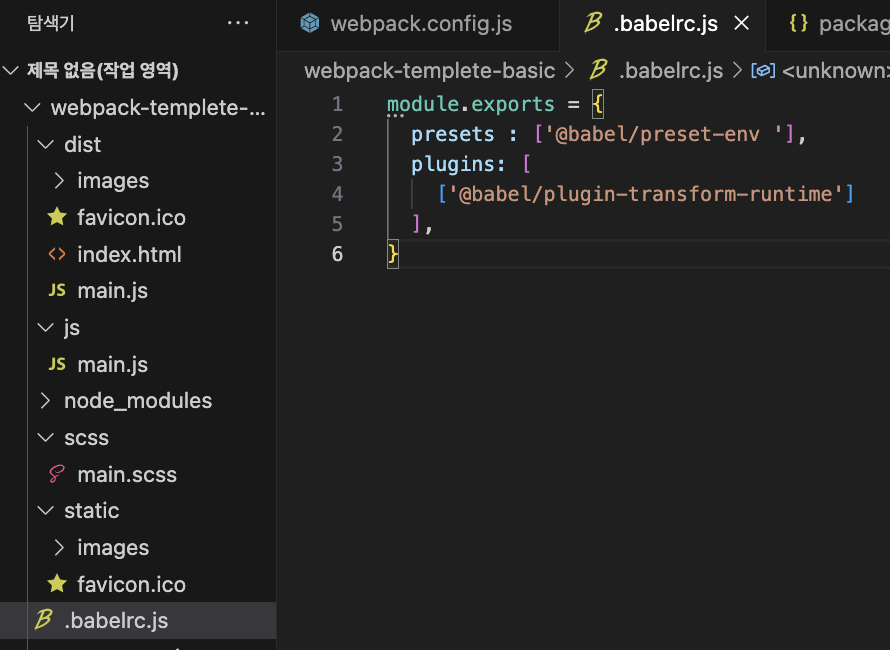
babelJavaScript 컴파일러최신 버전의 JavaScript 코드를 이전 버전의 JavaScript로 변환하는 도구 최신 JavaScript 문법을 사용하면서도 구형 브라우저나 환경에서 코드가 동작할 수 있게 함아직 제안 단계에 있는 JavaScript 기능을 현재 사용할 수 있게 해줌크로스 브라우저 호환성 보장최신 JavaScript 기능을 안전하게 사용 가능코드의 가독성과 유지보수성 향상 더보기npm i -D @babel/core @babel/preset-env @babel/plugin-transform-runtime개발 의존성으로 패키지 설치  프로젝트 루트에 .babelrc.js 파일 생성바벨이 동작할 수 있는 내용 작성하기 webpack.config.js 파일 설정babel-loader ..

Autoprefixer

Autoprefixerprefixer(공급업체 접두사) 자동 설정 기능PostCSS의 플러그인 중 하나로, CSS를 파싱하고 벤더 프리픽스(vendor prefixes)를 자동으로 추가해주는 도구  1. 호환성 보장최신 css 속성이나 값을 사용해도, 최신 css 문법을 지원하지 않는 구형 브라우저에서도 동작할 수 있게 해줌하위 호환성에 대한 걱정 ⬇️2. 자동화된 프로세스수동으로 각 브라우저별 프리픽스를 추가할 필요가 없음  → 시간 절약, 인적 오류 가능성 낮음3. 유지보수 용이성브라우저 지원 정보가 업데이트 되면, Autoprefixer도 자동으로 조정됨4. 크로스 브라우징 대응다양한 브라우저 환경에서 일관된 사용자 경험 제공 더보기npm i -D postcss autoprefixer postcss..

Webpack Plugins

페이지를 index.html로 확인하고 싶을때 개발 서버를 오픈하기 위해 설치하는 플러그인더보기npm i -D html-webpack-pluginplugin을 import와 같은 기능인 require로 불러와서번들링 후 결과물의 처리 방식 등 다양한 방식을 지정해주는 플러그인을 설정해줄 수 있는 plugins 옵션 추가devServer 옵션 - http://localhost:8080 더보기npm run dev  정적 파일을 연결하기 위해서 설치하는 플러그인더보기npm i -D copy webpack-plugincopy-webpack-plugin 패키지를 require해서 CopyPlugin 변수에 담은 후 plugins 옵션 내에생성자로 CopyPlugin 내용을 입력 from: 'static' (어디에..